

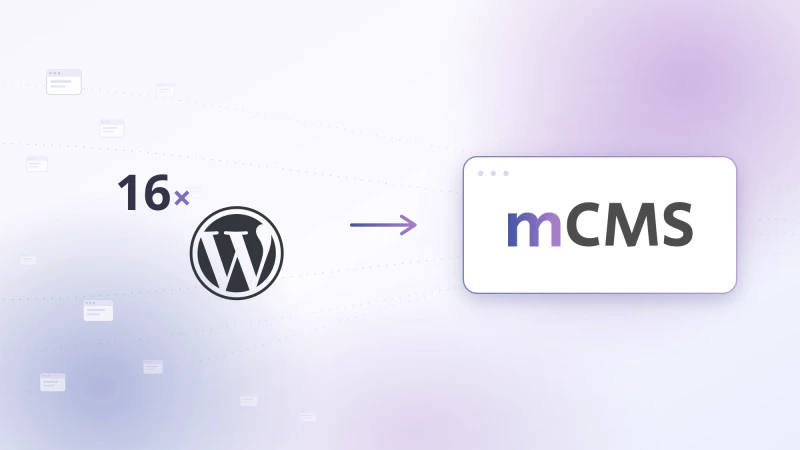
Our client Strojbal s.r.o. asked us to analyse why some of their supporting landing pages were showing errors or were not available at all. These sites had been built in-house on the WordPress CMS. Once we were granted access, we got to work.
1. Analysing the problem
We focused on the first site, which was not working at all (a white screen). Even a quick integrity check of the WordPress files proved that it had been attacked through one of the publicly known security vulnerabilities in WP or one of the plugins in use. We subsequently identified similar problems on almost all of the other sites.
The steps were clear:
- Temporarily take all the sites offline so they could not be abused for illegal activity.
- Clean all the sites of malicious or modified WP files.
- Change user passwords and clean up user accounts.
- Update WordPress and all the plugins in use.
2. Fixing the first 2 sites
We started with the scanner provided by the hosting provider. It uncovered hundreds of files hidden in various places, which did not always look suspicious at first glance. We removed roughly 95% of the problematic files; the rest interfered directly with functional parts of WordPress or one of the plugins, so we restored those files from a clean installation of the corresponding WP version. Next came a review of user accounts and the removal of suspicious ones (we kept the original developer's account and the admin account used by the client), followed by updating WP and its plugins. We then brought the sites back online on a trial basis.
At the same time, we deployed our own single-purpose script that monitored file modification dates across the site's entire directory structure. Whenever anything changed — whether through WordPress's automatic overnight updates or less welcome file modifications — we were notified immediately.
For a few days, all was quiet. The sites were working, files were only being changed by automatic updates, and the access logs showed massive numbers of 404 errors from attempts to reach the removed infected files. After a few days, however, our script detected file modifications and newly created files. It turned out that neither the hosting provider's scanner nor our log analyses had uncovered absolutely all of the infected files, so we repeated the entire cleaning process from scratch (take offline, clean, change passwords, and so on).
Things were quiet again for about two weeks, with the access logs still recording large numbers of failed attempts. When the problem recurred even after that, we concluded that this was probably not a viable path for all 16 sites.
3. Consulting the client on what to do next
After presenting the client with our findings and the estimated cost of repairing the remaining sites, we arrived at a joint solution: some unnecessary sites would be shut down completely and their domains cancelled, while other domains would simply be redirected (301 redirect) to the main company website — which had been running on our mCMS for years and was, for that very reason, the only one not infected. That left 9 domains the client insisted on repairing or rebuilding. In the end, the client approved our proposal: a minimalist multisite one-page solution built on our mCMS content management system.
In numbers:
- 3 domains cancelled entirely (according to analytics, they brought no benefit)
- 4 domains redirected to relevant subsections of the main website (301 redirect)
- 9 domains rebuilt as landing one-pagers with variable content and a visually similar template
4. Preparing the system and the sites
We started with a shared template in Bootstrap Studio — first publishing directly to the web (as a preview for the client), later directly into mCMS. mCMS itself required implementing redirect functionality and a few bugfixes related to the multisite mechanism.
On the server side, we created a macro for Apache that unified the configuration of all the domains and pointed them to a single webroot — so 1 domain means 1 line in the vhosts configuration. For each site, we then prepared products, galleries, a basic description and a logo. We defined most of the data in mCMS parametrically, so that no large number of individual template tweaks would be needed for each site.
5. Deployment time
For the migration itself, we prepared a checklist of steps for each domain. Well in advance of the migration, we reviewed and adjusted the DNS configuration of the 13 domains at the commercial hosting provider: we lowered the TTL of the A and AAAA records of all domains to the minimum (5 minutes), removed unnecessary records, and so on. During this work, the provider's administration interface became temporarily unavailable. Hopefully not because of our intensive efforts. :-)
We generated SSL certificates via Let's Encrypt/ZeroSSL using a pre-built mechanism on the server. Then all that remained was to switch the DNS to our server — and within 5 minutes the sites were running on the new multisite solution built on our mCMS content management system.
Conclusion
Out of 16 problematic WordPress installations, what remains is a single mCMS installation that we maintain centrally — less maintenance, no vulnerable plugins and faster content management for the client.